

Group website:
Other company websites:
Choose website










Employee and Visitor Security Screening: How to Build an Efficient Workplace Checkpoint


Employee and Visitor Security Screening: How to Build an Efficient Workplace Checkpoint
Employee entrances and visitor lobbies have very different security demands. Learn how U.S. facilities can combine access control, X-ray bag screening, people screening and AI-assisted detection to create safer checkpoints without slowing everyday entry.
Employee and visitor security screening works best when it is designed as a complete entry process rather than a collection of unrelated security devices. A badge reader may confirm who an employee is, but it does not inspect what enters the building. A visitor management system may register a guest, but it does not screen a backpack or briefcase. A metal detector may identify metallic objects on a person, while an X-ray baggage scanner examines what is inside the belongings they carry.
For corporate offices, government facilities, data centers, industrial locations and other controlled environments in the United States, an effective checkpoint brings these layers together without making routine entry unnecessarily complicated.
The goal is not maximum screening at every door. It is to match the level of inspection to the people using the entrance, the assets being protected, the expected traffic volume and the threats the organization is trying to control.
What Is Employee and Visitor Security Screening?
Employee and visitor security screening is the process of checking people and their belongings before they enter — and in some environments, before they leave — a controlled facility.
A modern checkpoint may combine:
- employee badges or other access credentials;
- visitor registration and identification;
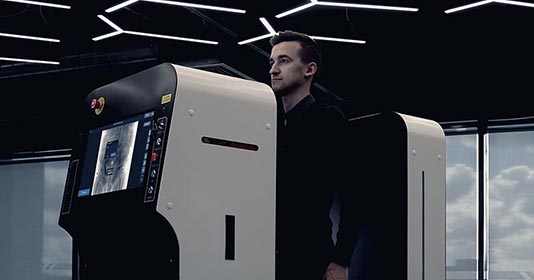
- walk-through people screening;
- X-ray baggage and parcel inspection;
- secondary screening where the security profile requires it;
- video surveillance;
- trained security personnel;
- AI-assisted threat detection and checkpoint software.
Each layer answers a different question. Access control determines whether the person is authorized. People screening checks what may be carried on the body. X-ray baggage screening examines backpacks, handbags, briefcases, parcels and other belongings.
Combining those functions produces a much stronger entry-control process than relying on any one technology by itself.
Employees and Visitors Should Not Automatically Use the Same Screening Process
One of the most common checkpoint-design mistakes is treating every person entering a building as the same type of traffic.
Employees typically arrive repeatedly and often in concentrated waves before shifts or at the beginning of the business day. They know the process, carry similar items and already have established credentials.
Visitors behave differently. They arrive less predictably, may be unfamiliar with building procedures and frequently need additional direction from reception or security staff.
| Checkpoint Factor | Employee Entry | Visitor Entry |
| Traffic pattern | Repeated and often concentrated around shift changes | More variable and appointment-driven |
| Identity | Usually established through credentials | Often verified at reception or visitor management |
| Familiarity | Employees know the screening procedure | Visitors may require instructions |
| Priority | Fast, consistent processing | Controlled entry with clear guidance |
| Secondary inspection | Typically exception-based | May be easier to perform individually when required |
Even when the same screening equipment is used, separating employee and visitor procedures can reduce congestion and create a more predictable security workflow.
Designing an Employee Entrance Security Checkpoint
Employee screening should fit naturally into the credentialed entry process.
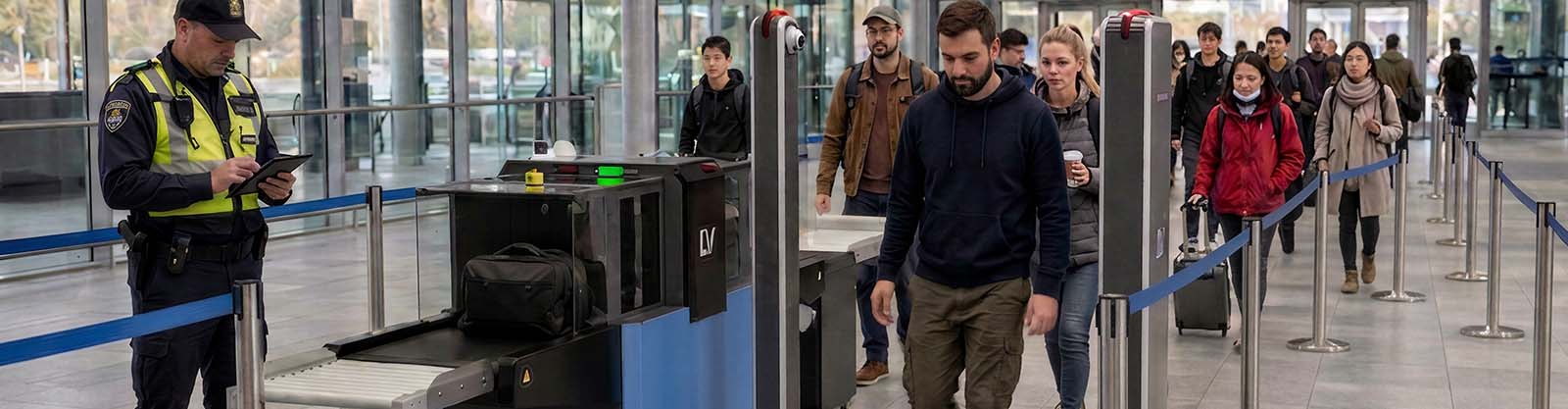
An employee can present a badge, place a backpack or personal bag on an X-ray conveyor and proceed through the people-screening lane as part of one controlled movement.
For a facility with hundreds of employees arriving during the same 15- or 30-minute window, throughput becomes a critical design requirement.
The checkpoint should be evaluated based on peak traffic rather than total daily headcount. A facility with 1,000 employees does not necessarily need to screen 1,000 people evenly throughout the day. If 600 arrive during one shift change, that short period determines the actual capacity requirement.
Building a Better Visitor Screening Process
A visitor entrance usually needs a different balance between security and experience.
Corporate lobbies, headquarters, laboratories and government offices may receive clients, contractors, vendors, delivery personnel and other guests who have never used the checkpoint before.
A practical visitor process may follow this sequence:
- Visitor checks in or presents identification.
- Host or access authorization is confirmed.
- Personal belongings are placed on the baggage scanner.
- The visitor proceeds through the required people-screening layer.
- Any alarm or suspicious image is resolved separately from the normal flow.
- The visitor receives access credentials and proceeds into the controlled area.
Clear signage and a visible place for preparing belongings can reduce confusion before the visitor reaches the scanner.
Why X-Ray Bag Screening Is a Core Workplace Security Layer
Most office and workplace entrances need to inspect belongings more often than they need advanced full-body X-ray screening.
A security X-ray baggage scanner allows an operator to inspect backpacks, handbags, briefcases, laptop bags, parcels and other items without opening each one manually.
This is useful because an access badge confirms identity but says nothing about the contents of a bag.
Depending on the facility’s prohibited-item policy, X-ray inspection can help security personnel identify:
- firearms and firearm components;
- knives and other weapons;
- suspicious electronic assemblies;
- prohibited tools or devices;
- unauthorized electronics;
- items that require secondary inspection.
The X-ray image provides visual evidence. Trained personnel remain responsible for determining whether an object violates facility policy and what action should follow.
Choosing the Right Baggage Scanner for an Office or Workplace
Corporate and institutional checkpoints generally do not need the same tunnel dimensions as airports or freight facilities.
The scanner should be sized around what employees and visitors actually carry.
A compact tunnel can be appropriate for handbags, backpacks, laptop bags and smaller parcels. Larger facilities may need additional capacity for tool cases, contractor equipment or larger deliveries.
Important selection factors include:
- typical bag dimensions;
- peak number of bags per hour;
- available lobby or entrance space;
- operator location;
- conveyor height and ergonomics;
- AI-assisted detection requirements;
- reporting and remote-monitoring needs.
Choosing a tunnel simply because it is larger can waste floor space. Choosing one that is too small creates repeated handling and disrupts entry.
High-Volume Employee Entrances
Some facilities operate more like transportation or event checkpoints than conventional office lobbies. Large corporate campuses, manufacturing sites and high-headcount facilities may need to process significant bag volume during shift changes.
LV STREAM provides high-throughput dual-view X-ray baggage screening supported by A-EYE™ analysis and can be relevant when conventional stop-and-review baggage inspection would create a bottleneck.
For entrances where people and bags must move through security together, LINEV also developed STREAMSYNC-M, which coordinates compatible people screening with LV STREAM baggage screening in one checkpoint workflow.
The concept maintains the relationship between the individual and the bag while both move through separate physical screening paths.
People Screening: Match the Technology to the Risk
Not every U.S. workplace requires the same level of people screening.
For many corporate entrances, a walk-through metal detector or comparable people-screening technology may be appropriate as the primary layer because it supports continuous movement and does not require detailed X-ray imaging of every individual.
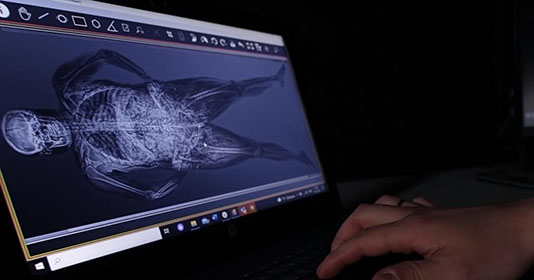
In controlled environments with a higher threat or contraband risk, additional X-ray body screening may be considered as part of a defined security procedure.
The key distinction is that body X-ray scanning should not automatically be treated as the default solution for a conventional corporate lobby. Its use should reflect the facility’s actual threat profile, applicable policies and regulatory requirements.
Employee Exit Screening and Asset Protection
Security screening does not always need to focus only on what comes into a building.
In environments handling valuable physical assets, intellectual property, specialized tools, electronics, precious materials or controlled components, exit screening may also form part of the loss-prevention strategy.
An X-ray scanner positioned at an employee exit can help security personnel inspect outgoing bags without requiring every bag to be unpacked manually.
This may be relevant to:
- electronics manufacturing;
- warehouses and distribution centers;
- research facilities;
- data centers;
- high-value manufacturing;
- laboratories;
- facilities handling controlled equipment or materials.
Any employee-screening policy should be implemented consistently and reviewed against applicable workplace, privacy and labor requirements.
Screening for Data Centers and Critical Facilities
Some facilities have more to protect than the people inside the building.
Data centers, research environments and secure industrial sites may also need to control the movement of electronics, storage devices, specialized tools and other physical assets.
This creates a two-direction security requirement:
- prevent dangerous or unauthorized items from entering;
- prevent protected physical assets from leaving without authorization.
X-ray bag screening can support both processes because the same inspection technology can be applied at entry and exit while the prohibited-item rules change according to direction.
AI-Assisted Detection for Employee and Visitor Bags
High-volume screening creates a demanding visual task for operators. Hundreds of bags may contain overlapping electronics, chargers, bottles, tools and ordinary personal items.
BV Threat Detection powered by A-EYE™ analyzes baggage X-ray data and can identify supported threat categories such as firearms, firearm components, ammunition and knives.
When a potential threat is identified, the system can visually highlight the region of interest for the operator.
This does not eliminate the need for trained security personnel. AI acts as an additional detection layer while the operator remains responsible for reviewing the image and following the site’s response procedure.
Smart Zoom for Dense Bags and Electronics
Employee and visitor bags often contain dense combinations of laptops, chargers, cables and electronics that overlap in the X-ray image.
LINEV Smart Zoom uses machine-learning-based image processing to enhance detail already captured in the original scan, helping operators examine complicated areas more closely without changing the underlying X-ray information.
This can be particularly useful at technology companies, laboratories and facilities where bags routinely contain numerous electronic components.
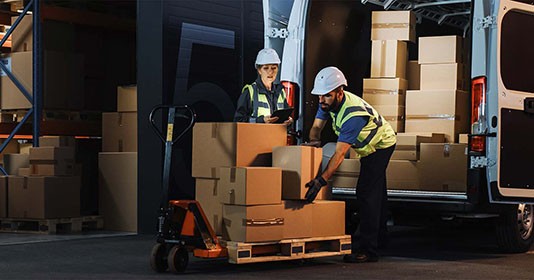
Do Not Forget the Mailroom and Delivery Entrance
A well-protected lobby can still leave another route into the building largely unchecked.
Packages, courier deliveries and incoming mail may enter through a service area rather than the main visitor checkpoint.
Parcel X-ray screening allows security or mailroom personnel to inspect incoming packages before they move deeper into the facility.
For corporate security planning, the question should therefore be broader than “How do we screen visitors?” It should be “What people and physical items can cross the secure perimeter, and through which entrances?”
Managing Screening Equipment Across Multiple Locations
Large organizations may operate dozens of employee, visitor and service checkpoints across several facilities.
At that scale, equipment reliability and centralized visibility become part of the security architecture.
X-LINEView provides telemetry and preventive-maintenance capabilities for compatible LINEV screening systems, giving organizations greater visibility into equipment performance and operating parameters.
This helps move screening equipment from isolated machines toward a more manageable multi-site infrastructure.
Technology Does Not Replace Operator Training
A checkpoint can have high-quality imaging and sophisticated software and still perform poorly if security personnel do not understand how to respond to what the system shows them.
Operators should understand:
- normal X-ray image interpretation;
- facility-specific prohibited items;
- AI alert interpretation;
- secondary inspection procedures;
- alarm escalation;
- evidence handling where applicable;
- how to keep the normal queue moving during an exception.
Training should therefore be treated as part of the screening system rather than an optional activity after installation.
How to Build a Complete Employee and Visitor Checkpoint
A practical design process starts with the operation, not the product catalog.
1. Identify Every Entry Route
Map employee entrances, visitor reception, service doors, mailrooms, loading areas and any other controlled access points.
2. Measure Peak Traffic
Measure the busiest 15- to 30-minute window rather than relying only on daily totals.
3. Define the Threat Profile
Determine what the checkpoint is expected to prevent: weapons, unauthorized electronics, contraband, asset removal or a combination.
4. Separate People and Belongings
Select the appropriate technology for each. People screening and baggage screening solve different problems.
5. Create an Exception Lane
A suspicious bag or alarm should be resolved without stopping the entire checkpoint.
6. Integrate Access Control
The screening result and authorization process should support one controlled entry sequence rather than forcing people through unrelated stations.
7. Train and Test the Workflow
Evaluate how the complete checkpoint performs during realistic peak traffic before considering the deployment finished.
Security Should Fit the Way the Building Operates
An effective corporate checkpoint does not require every employee and visitor to go through the maximum possible level of screening. It requires the right screening at the right entrance.
Employees need a predictable process that can handle concentrated arrival periods. Visitors need clear guidance and controlled access. Bags, parcels and deliveries need inspection technologies designed for objects rather than people.
By coordinating those layers, organizations can strengthen workplace security while preserving the efficient movement expected from a modern office or secure facility.
Explore the complete range of LINEV Systems X-ray security screening solutions for people, baggage, parcels and integrated checkpoints.

Manage Consent
Functional Always active
The technical storage or access is strictly necessary for the legitimate purpose of enabling the use of a specific service explicitly requested by the subscriber or user, or for the sole purpose of carrying out the transmission of a communication over an electronic communications network.
Preferences
The technical storage or access is necessary for the legitimate purpose of storing preferences that are not requested by the subscriber or user.
Statistics
The technical storage or access that is used exclusively for statistical purposes. The technical storage or access that is used exclusively for anonymous statistical purposes. Without a subpoena, voluntary compliance on the part of your Internet Service Provider, or additional records from a third party, information stored or retrieved for this purpose alone cannot usually be used to identify you.
Marketing
The technical storage or access is required to create user profiles to send advertising, or to track the user on a website or across several websites for similar marketing purposes.